DrivePulse

For the press

The DrivePulse press kit

What the app does, the key facts, images to download and who has written about it. The images can be used as you like: just name the app.

In brief

DrivePulse is an app for iPhone and Android that reads the car through a small OBD2 adapter in the diagnostic port. It records trips on a map, works out real fuel use and costs, keeps an eye on the battery and engine, explains fault codes in plain words and reminds you of service, insurance, road tax and inspection.

It only reads: it never writes to the ECU and never clears codes. It is made by Davide Guida, an independent developer in Rome.

The facts

  • Platforms: iPhone, with CarPlay, and Android, with Android Auto.
  • What you need: an ELM327-type OBD2 adapter, over Bluetooth or Wi-Fi. For example a Veepeak OBDCheck BLE or BLE+ (Veepeak lists DrivePulse among the compatible apps) or a Vgate iCar Pro 2S.
  • Languages: 10 (Italian, English, German, French, Spanish, Portuguese, Czech, Polish, Romanian, Hungarian).
  • Account: none. No ads and no tracking.
  • How it is sold: a trial with every feature for 7 days or 15 trips, whichever comes first; the extended diagnostics can be tried once. Then a one-time purchase unlocks everything, with no subscription.
  • Home Assistant: on iPhone the integration installs from HACS, the Home Assistant Community Store; sending stays off until the user turns it on.
  • Developer: Davide Guida, Rome.

What it does

  • Trips: every trip on a map, with duration, distance, fuel use, cost and temperatures.
  • Fuel and costs: fill-ups, real consumption from full tank to full tank and cost per kilometre. LPG, CNG and charging in kWh too, entered by hand.
  • Car health: battery, engine, temperatures, particulate filter and AdBlue in green, amber or red, with battery tests at rest and while cranking. On diesels, if the car reports the values, DPF soot load and regenerations, as an estimate from the car's sensors.
  • Diagnostics: fault codes explained in plain words, live ECU values and a PDF sheet to hand to the workshop.
  • Deadlines and service log: service, insurance, road tax and inspection by date or by mileage, and a service log with the costs.
  • In the car: its own screens on CarPlay and on Android Auto.
  • Used car check: on iPhone, with the car stopped, a reading of the VIN, mileage, fault codes and monitors: values from the car, not a verdict on its condition.

Images

iPhone screenshots in English, at full resolution: tap an image to open it. The Android screenshots are on the Google Play listing. Use them as you like, with no need to ask: just name the app.

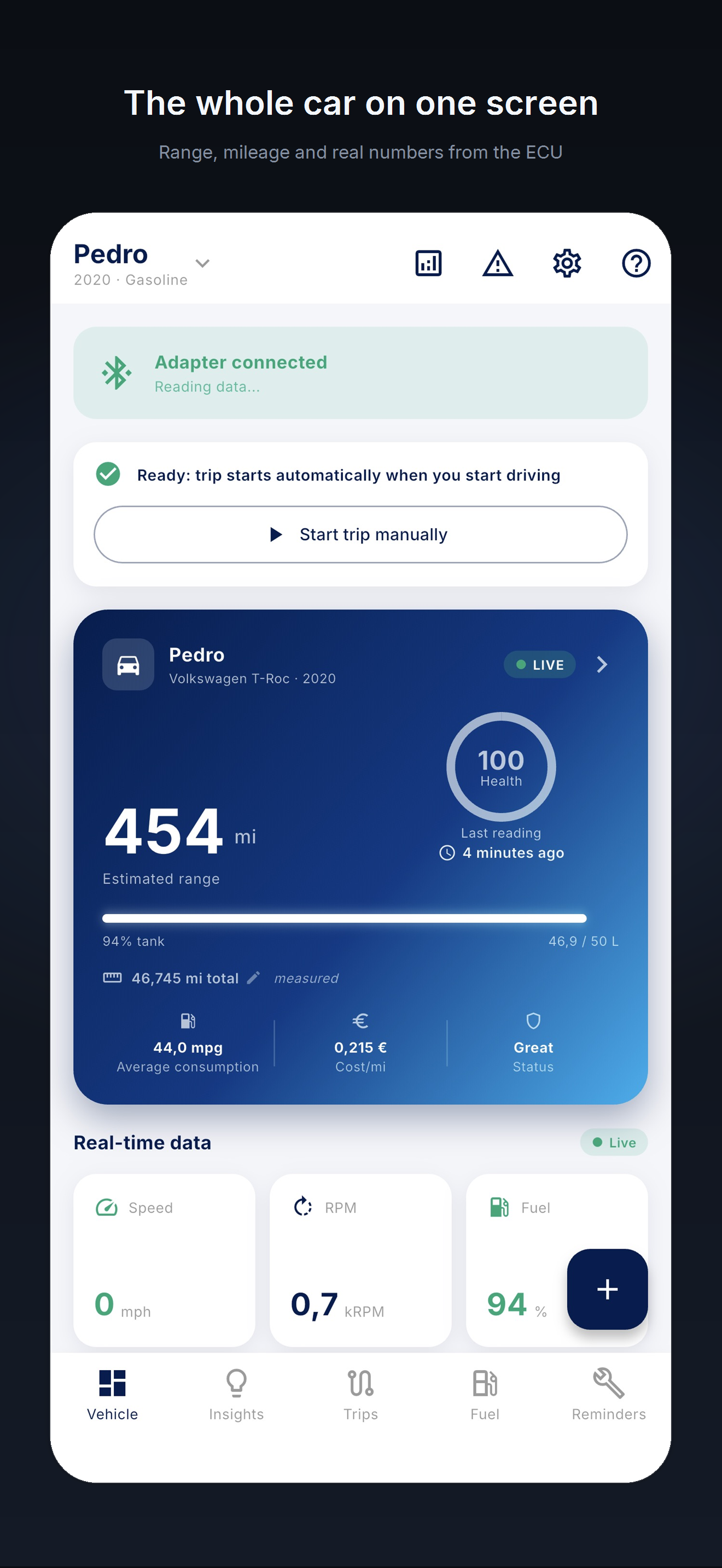
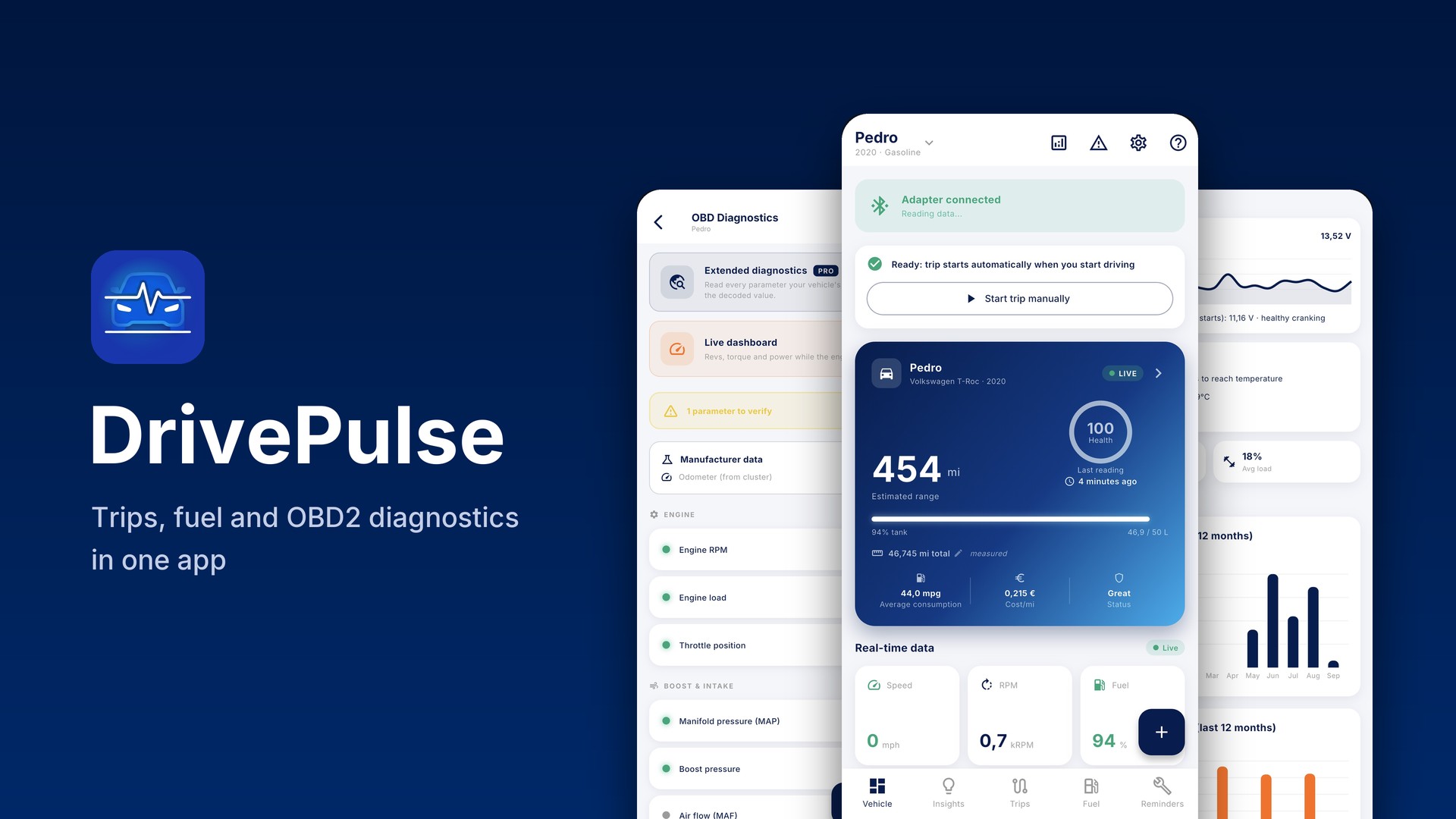
The car screen: adapter connected, estimated range, health score from 0 to 100, average consumption and cost per kilometre, live data.
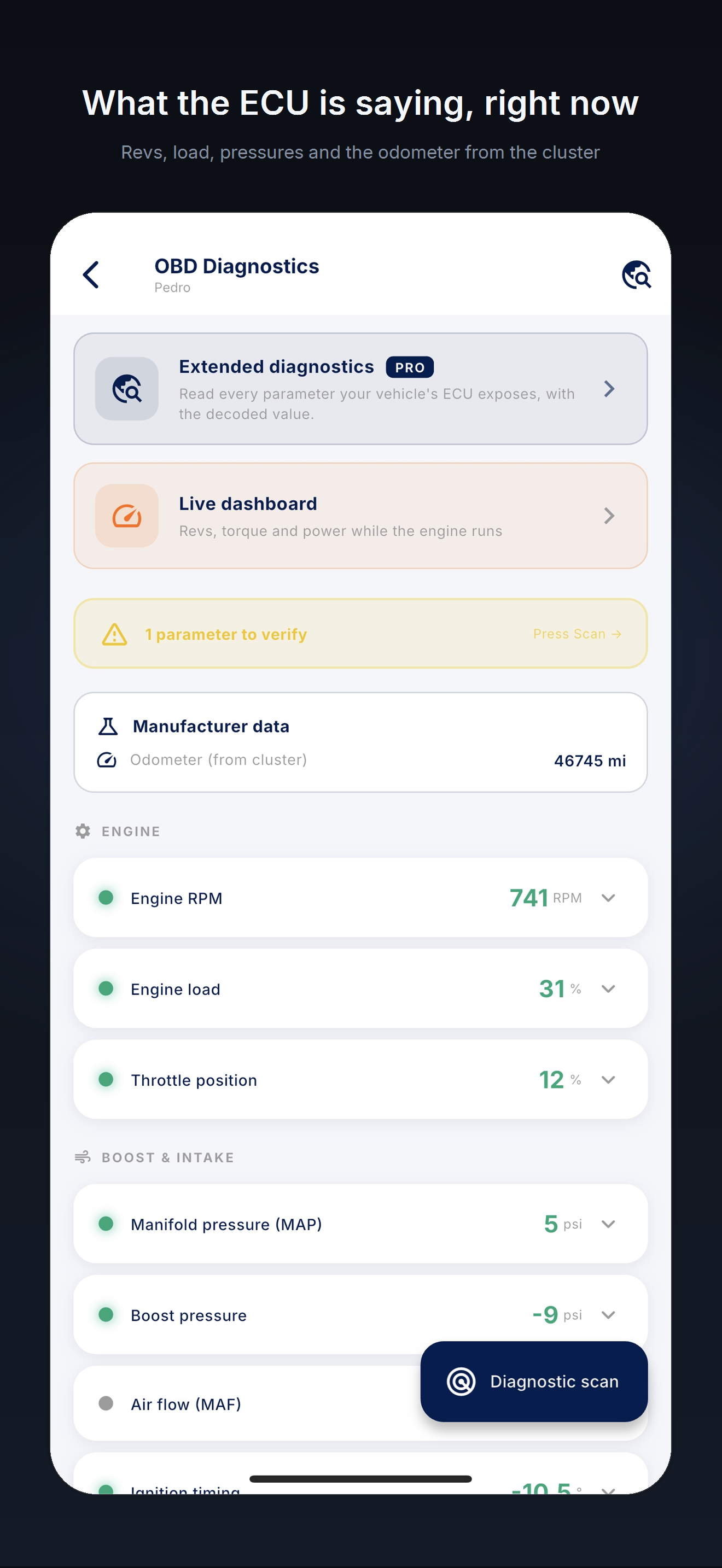
OBD diagnostics: engine speed, load, throttle position, manifold pressure, turbo boost and the odometer read from the instrument cluster.
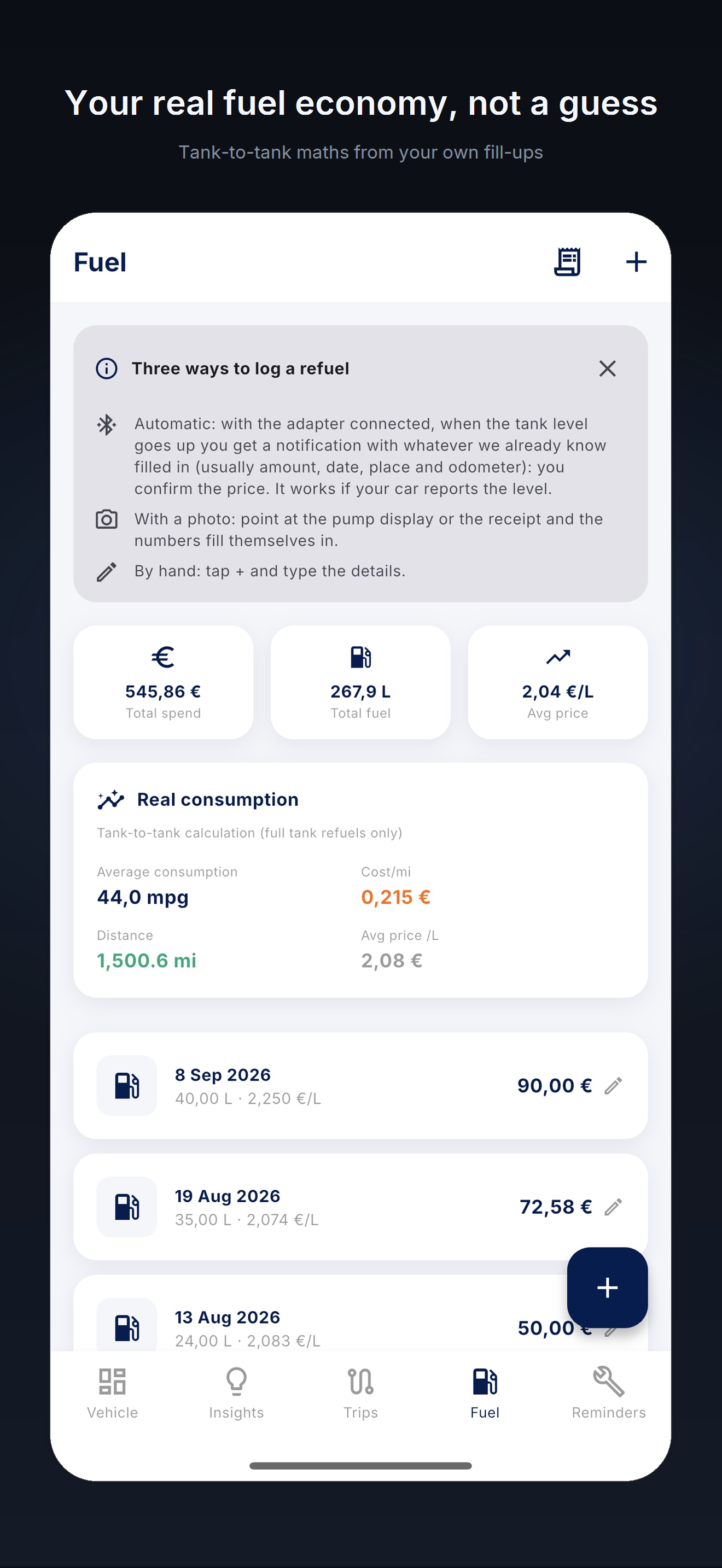
Fuel: the fill-up log, real consumption worked out from full tank to full tank, cost per kilometre and average price.
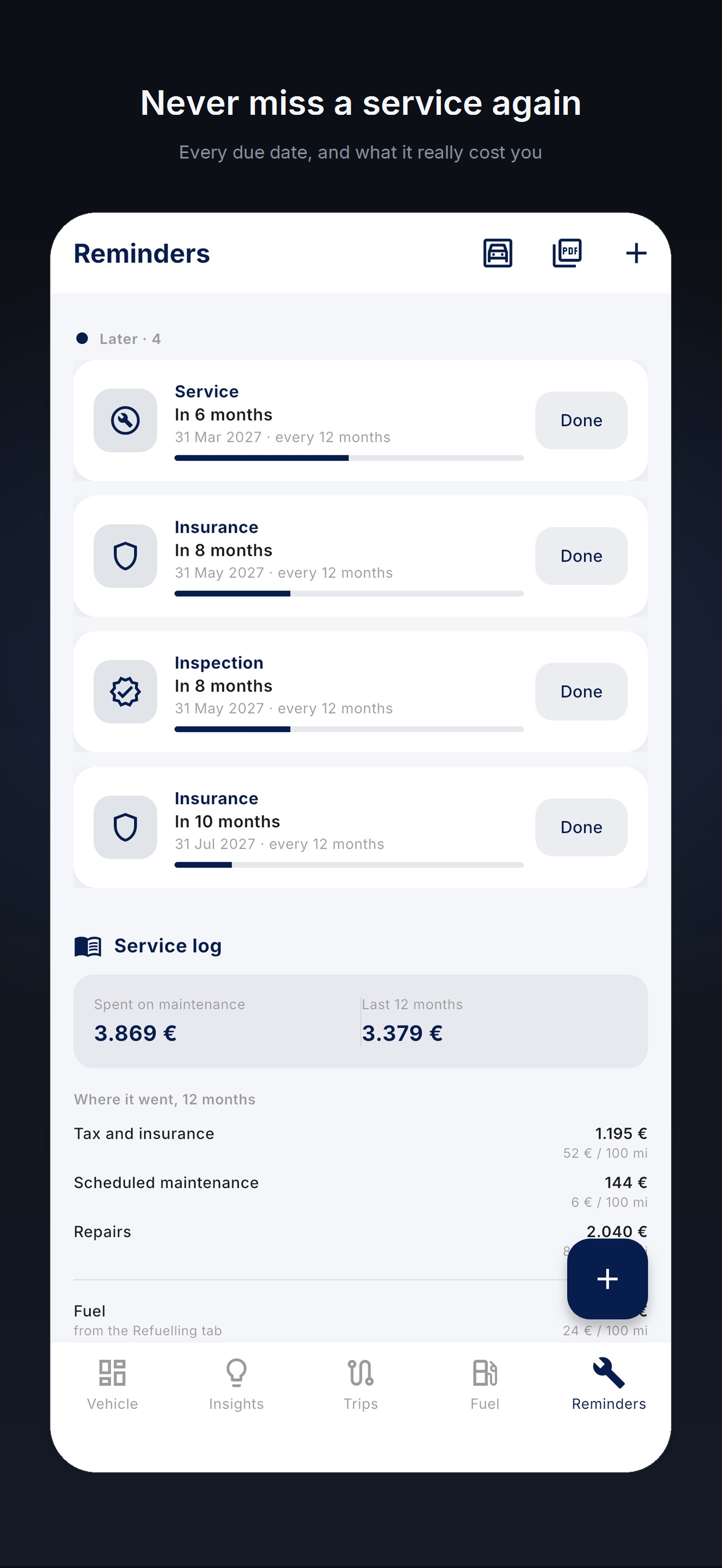
Deadlines: service, insurance and inspection with a countdown, and the service log with maintenance spending.
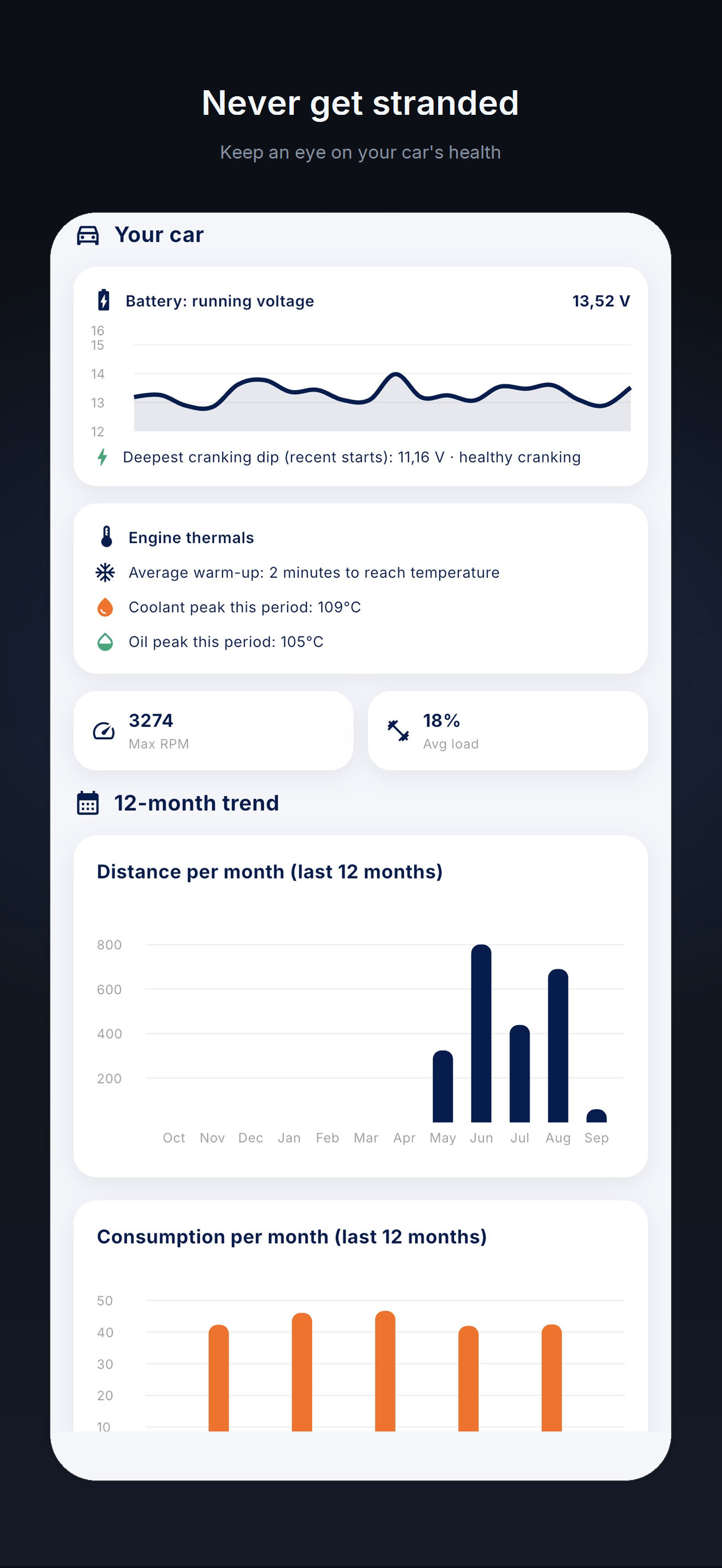
Statistics: battery voltage over time, engine temperatures, distance and fuel use for the last 12 months.
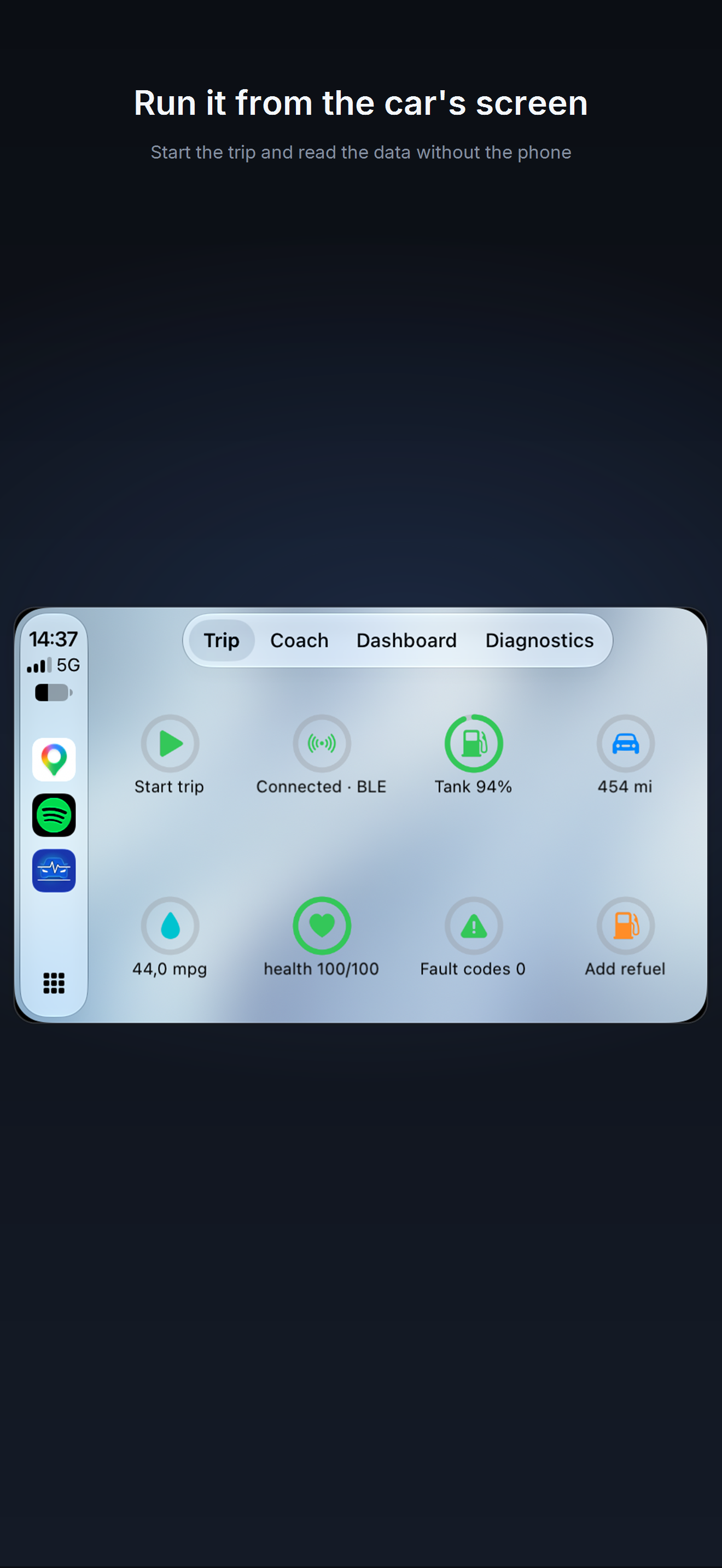
The dashboard on CarPlay: start a trip, adapter connected, fuel level, kilometres, car health, consumption and fault codes.

Who has written about it

Journalists and brands that talk about DrivePulse.

“DrivePulse bringt dein Auto in Home Assistant”. Wrote about the Home Assistant integration via HACS.

Florian Beckmann, smarthomeassistent.de (in German)

Lists DrivePulse among the compatible apps for its OBDCheck BLE and BLE+ adapters.

OBDCheck BLE, veepeak.com

Devoted an article and an interview with the developer to DrivePulse.

Settimio Perlini, macitynet.it

Recommended DrivePulse to its Portuguese readers.

João Bonell, androidgeek.pt (in Portuguese)

Included it in its Indie Apps Showcase.

TapSmart, United Kingdom

Press contact

Davide Guida, the developer of DrivePulse: davide@drivepulse.it. He answers in English and Italian. A full-version code is available for articles and reviews.