 DrivePulse
How do you check a car's history with carVertical?

With DrivePulse you know how your car is doing today. But do you know its history? With the discount reserved for DrivePulse users, find out its recorded mileage over time and any accidents or thefts. That way you know your car's past too!
Code DRIVEPULSE: 20% off the report
Opens the carVertical website. Affiliate link: DrivePulse receives a commission.
Why read the ECU before you buy?
A warning light that's off doesn't mean there are no faults. The codes may have been cleared, after a repair for example, or the battery may have been disconnected. The ECU leaves traces, though, and you can read them from the OBD2 port in a few minutes, with the car stopped.
What should you read from a used car's OBD2 port?
- The VIN, to compare with the registration papers.
- The odometer, when the car reports it, to compare with the dashboard and the service records.
- The engine codes, stored and pending.
- The codes of the other control units, such as the gearbox or ABS, where they're known for that brand.
- The permanent codes, which a scan tool can't clear.
- The readiness monitors, and the distance driven since the codes were last cleared.
How can you tell if codes were cleared recently?
Every ECU runs self-checks while you drive, the readiness monitors: catalytic converter, oxygen sensors, evaporative system and others. When the codes are cleared, or the battery is disconnected, the monitors start again from zero and take days of driving to be ready. At the same moment the ECU also resets its counter of the distance driven since the clear.
Monitors not ready and only a few miles since the last clear, together, mean the codes were cleared recently, or the battery was disconnected. It doesn't tell you who did it or why: it can be a battery change or a repair. It's worth asking, and reading the car again after a few days of driving.
A permanent code means the ECU hasn't yet confirmed that the fault is fixed, even if the light is off.
What doesn't an OBD2 reading tell you?
The reading tells you what the car reported that day. It isn't an inspection and it doesn't certify the mileage. It doesn't see the bodywork, tyres, brakes or suspension, or mechanical faults that leave no codes. A slipping clutch or a repaired crash won't show up there.
Buying a used car? What to check and what to know
Reading the ECU tells you how the car is doing today, but on its own it isn't enough to buy well. You also need the paperwork, the car's history and an unhurried test drive. This is the order we'd follow, from the first phone call to signing.
1. Before you go and see it
- Ask for the registration number and the VIN: you'll need them for every check that follows.
- Ask whether there are service records, in the service book or as invoices, and when the last inspection was.
- Ask how long they've owned it and why they're selling.
2. The car's history
- Look up the official inspection history where your country keeps one, such as the MOT history in the UK: the mileage should go up over time.
- Ask to see the registration document and check that the seller's name is on it. If it isn't, ask why.
- A history report from the VIN, such as carVertical's, could show the mileage recorded over the years and any accidents or thefts. How to get there is at the top of the page.
3. The car up close
- Look at the bodywork in daylight: a different shade between panels, or uneven gaps, can mean a repair.
- Check the tyres: if they're worn more on one side, ask about the alignment and the suspension.
- Wear on the steering wheel, gear knob, pedals and seat should match the mileage you're told.
- Compare the VIN on the car, usually at the base of the windscreen, with the one on the documents.
4. The test drive
- Ask for the car not to be started before you arrive, and start it yourself from cold: many faults show up in the first few minutes.
- When you switch the ignition on, the warning lights come on for a moment and go out once the engine is running. One that stays on, or one that never lights up, is worth asking about.
- On the drive, listen for noises when braking and over bumps, and feel whether the gears go in cleanly.
5. Reading the ECU
With an OBD2 adapter and DrivePulse you read the codes, the monitors and the distance since the last clear, before and after the test drive: how it works is explained further down. If something doesn't add up, or the car is expensive, have a mechanic you trust look at it before you decide.
6. Contract and payment
- Have the mileage and the condition the seller describes written into the contract.
- A dealer usually gives you more legal protection than a private seller: ask in writing what's covered and for how long. From a private seller, the checks you do beforehand matter more.
- Pay in a way that leaves a record, and only with the documents in your hand.
How can you tell if the mileage has been rolled back?
No single check proves it: you compare several sources, and a number that doesn't add up is a reason to ask.
- The official inspection history where your country keeps one, such as the MOT history in the UK: the mileage should go up from one test to the next.
- Service records and invoices: whoever does the service writes down the mileage. If in doubt, call the garage that stamped the book.
- Wear on the steering wheel, pedals and seat, which should match the mileage on the dash.
- The odometer read through the OBD2 port. DrivePulse reads it when the car reports it, for example on Volkswagen, Audi, Skoda, Seat, Toyota, Ford, BMW and Alfa Romeo; not on every car. It is one more number to set beside the inspection history and the service records, not proof: if the dash was altered, this value may have been too.
- The history behind the VIN: a report such as carVertical's could show the mileage recorded over the years. It's at the top of the page.
- Photograph the dash at every viewing, and have the mileage written into the contract.
How do you plan the day of the viewing?
- Ask the seller not to run the car before you arrive: a cold engine shows more faults.
- Bring the adapter and a charged phone, and do the first reading as soon as you get there, with the car stopped.
- Read the car again after the test drive: a pending code can appear during the drive itself.
- Take a photo of the report or save it, so you can compare it with another car or show it to the mechanic.
How do you do it with DrivePulse?
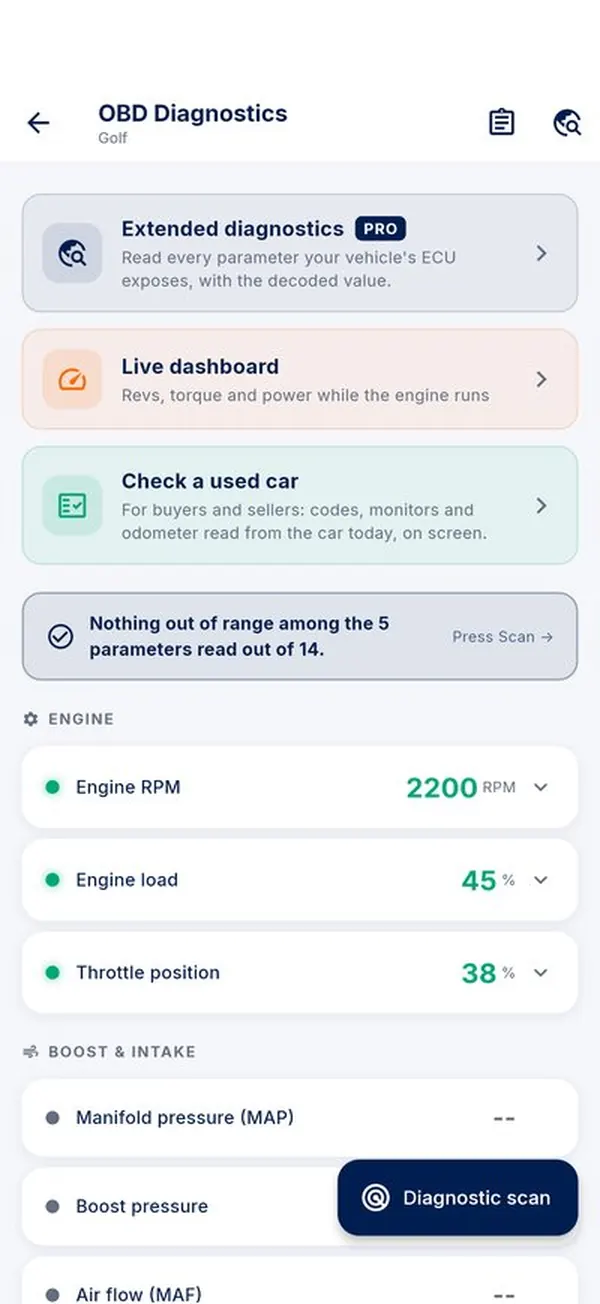
DrivePulse has Check a used car. You run it with the car stopped and the ignition or the engine on. In six steps the app reads the VIN, the odometer, the engine codes, the codes of the other control units it knows for that brand, the permanent codes, the parameters and the monitors. At the end the report shows everything on one screen, and with the unlock you can save it as a PDF for the seller or the mechanic.
If it finds monitors not ready and recently cleared codes, the report says so clearly. The check writes nothing to the car and clears nothing, so you can run it on someone else's car without touching anything. To understand a code that comes up, start from our guide on how to read fault codes with an iPhone.
Frequently asked questions
Does the seller have to let me plug in the adapter?
Ask first: it's a reading that doesn't touch anything in the car, and you can look at the report together.
Does the engine need to be running?
Ignition on and the car stopped is enough. With the engine running you also get a few live values, such as the temperature and the battery voltage while charging.
Does the check tell me if the mileage is real?
No. It reads the odometer when the car reports it, and not every car does. For the mileage, the service records and inspections count too.
How can you tell if a used car's mileage has been rolled back?
By comparing several sources: the inspection history where there is one, the service records, wear on the interior and, when the car reports it, the odometer read from the car's computer. If a number doesn't add up, ask before going any further.
Which documents show the real mileage?
Service invoices and the service book, and the official inspection history where your country keeps one, such as the MOT history in the UK. The mileage should only ever go up.
How do you check that a used car isn't stolen?
Compare the VIN on the car with the one on the documents, and check that the seller's name is on the registration document. A history report from the VIN, such as carVertical's, could show reported thefts.
What should you check on a test drive?
Start it from cold, check that the warning lights go out once the engine runs, listen for noises when braking and over bumps, and feel whether the gears go in cleanly. With an OBD2 adapter, read the codes again after the drive.
Do you get a warranty when buying from a private seller?
Usually less protection than from a dealer, and the rules differ by country. Ask what's covered before you sign, and do your checks beforehand.
What does a VIN history report add?
Reading the ECU tells you how the car is doing today; the history covers its past. A report such as carVertical's could show the mileage recorded over time and any accidents or thefts.
What you need on iPhone
All you need is an ELM327 OBD2 adapter with Bluetooth LE or Wi-Fi, plugged into the diagnostic port, usually under the steering wheel. We recommend the Veepeak OBDCheck BLE or the Vgate iCar Pro 2S. iPhone doesn't see classic Bluetooth adapters. The full list is on Which adapters work.
DrivePulse is read-only: it writes nothing to the ECU and doesn't clear codes. You try it for 7 days from the first connection or for 15 trips, whichever comes first, then unlock it with a single purchase, no subscription and no account.